
Script Library
Help ID: query-runner.script-library
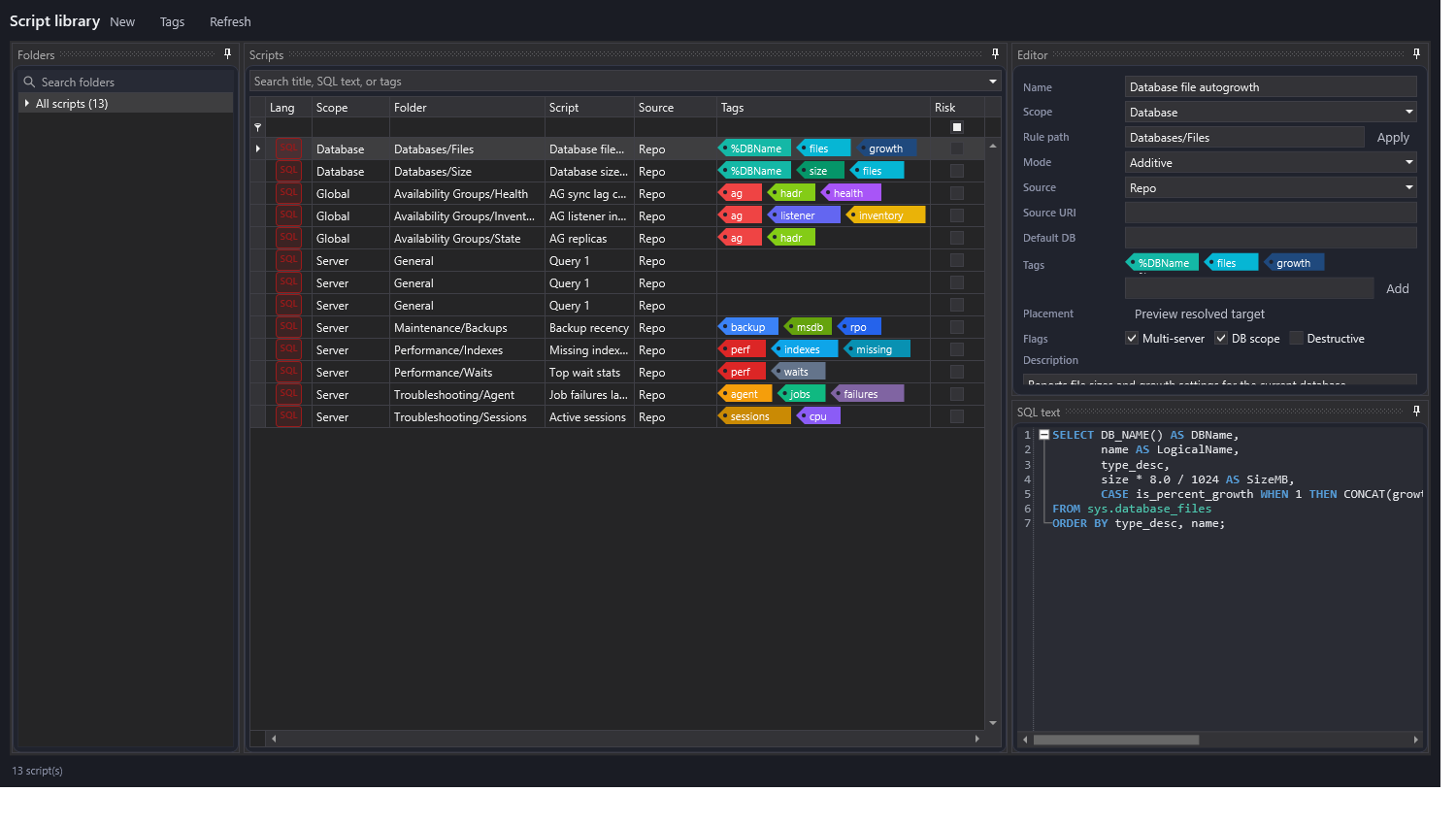
The Script Library stores reusable SQL scripts for the Query Pilot. Scripts can be grouped under folders, tagged, marked for server or database scope, and assigned placement rules that control where they appear in the repository library tree.
Task walkthroughs:
Areas
- Folders: the tree of script folders. Dragging a script onto a folder updates the script placement.
- Scripts: the grid of saved scripts. Use the search box to search titles, SQL text, and tags.
- Editor: script metadata, scope, source, tags, placement rule, flags, and description.
- SQL text: a dockable SQL editor panel for the saved script body.
Repository Library Versus Query Pilot Sources
This manager edits repository-backed scripts stored in the Minion database. Query Pilot can also browse Local and UNC folder sources directly from its Library pane. Those folder sources are configured in Query Pilot, not in this manager, and are persisted to the local workstation JSON settings file.
Use the repository Script Library for shared team scripts, central tags, folder placement rules, and future repo-mode audit history. Use Local or UNC Query Pilot sources for file-based script collections that already live on disk or on a team share.
Placement Preview
Use Preview resolved target to open a separate preview page showing how the current rule path resolves before saving.
Tags
Use Tags to open the Tag Manager. Tag colors and names are stored in dbo.SavedQueryTag; script and folder tag references are updated when a tag is renamed.
Related: Query Pilot, Tag Manager, dbo.SavedQueryLibrary, dbo.SavedQueryTag.
Documentation revision: ACDAC70E777B4226